Discover all the features and functionality coming to Frog this summer!
Below you’ll find a collection of documents that outline the key updates, improvements, and new features included in this release. Each document provides detailed insights into specific areas of the software, helping you understand what’s new and how it can be used.
New FrogStore
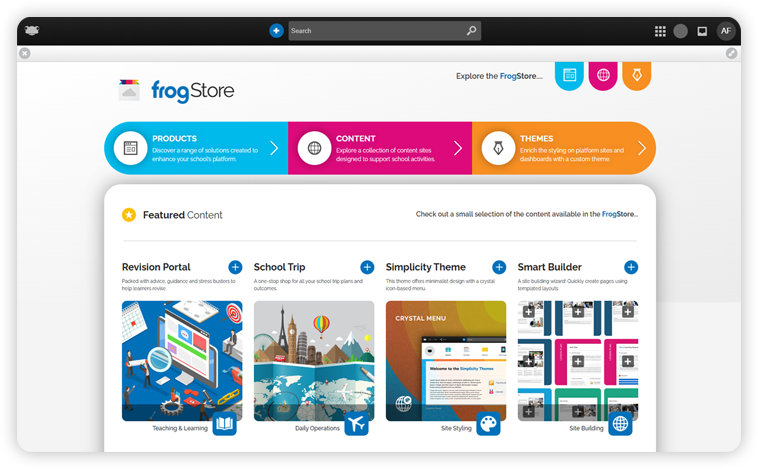
Staff and Admin users now have a new application called FrogStore. This allows schools to directly install a curated collection of Products, Content Sites and Themes into their platform.
This release introduces several enhancements to the Journals application, a tool designed to give students an authentic audience to showcase their work.
A small but important update has been made to the Messages application, within the Announcements feature separating received and sent announcements to improve usability.
Expand and enrich your Frog platform easily in just a few clicks with FrogStore.
Browse and install ready-made products, educational content sites, and stunning themes—all designed to enhance teaching, streamline administration, and personalise your platform.
With new apps, resources, and tools added regularly, there's always something new to help you get even more from Frog.
Journals is a powerful application for creating digital portfolios — enabling staff and students to showcase work with parents and connect school and home life. This release introduces an additional four enhancements to the application...
More ways to share
Schools now have the added benefit of uploading videos, PDFs and audio files within Journals posts.
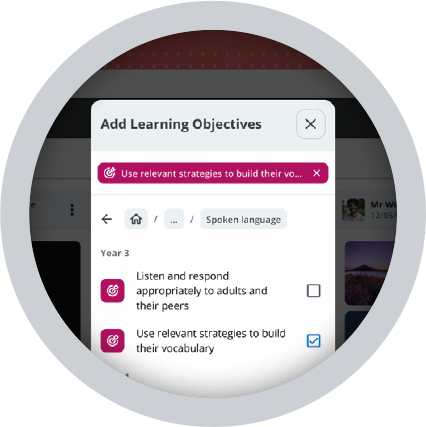
Curriculum Tagging
Link Journals posts to learning objectives to ensure evidence is recorded!
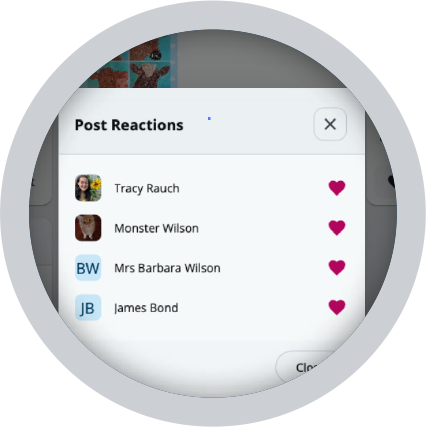
See Post Reactions
Schools can view post engagement by seeing who liked a post, visible only to staff and admins.
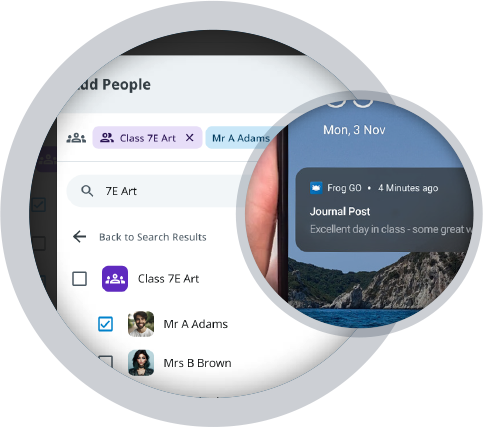
Push Notifications
Staff and admins can choose to send a Frog GO notification to the audience when creating a post.