




Journals create an authentic audience for students to showcase achievements.
By uploading images of their learning and adding meaningful descriptions, students build a personal record of progress across their school journey.
Teachers gain a real-time view of activity across classes or the whole school, whilst parents gain unique insights into their child’s learning, with the ability to like and comment on posts.
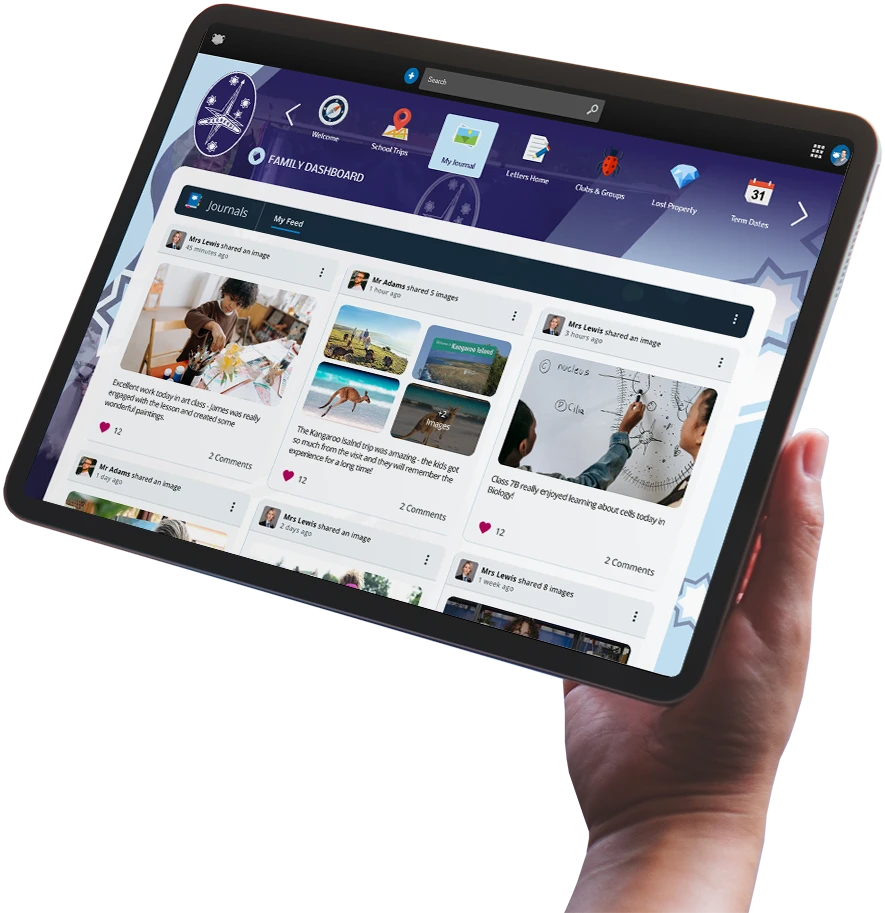
Connect learning, home and school
Frog Journals provides you with powerful features to showcase student work...

Personal
Feed
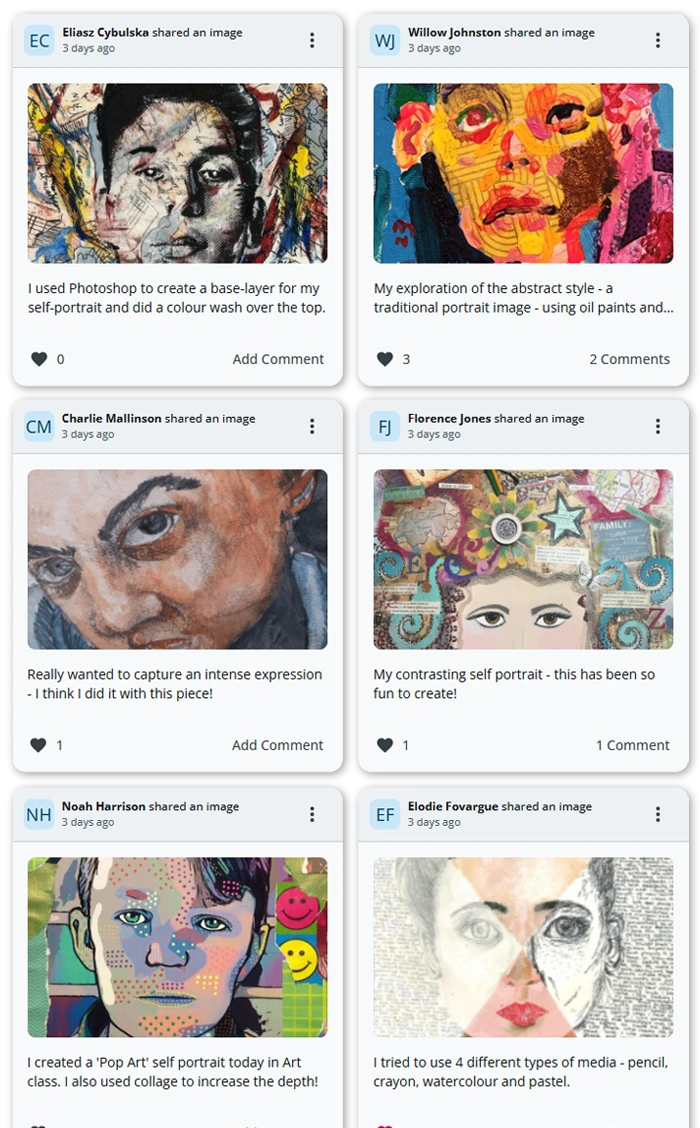
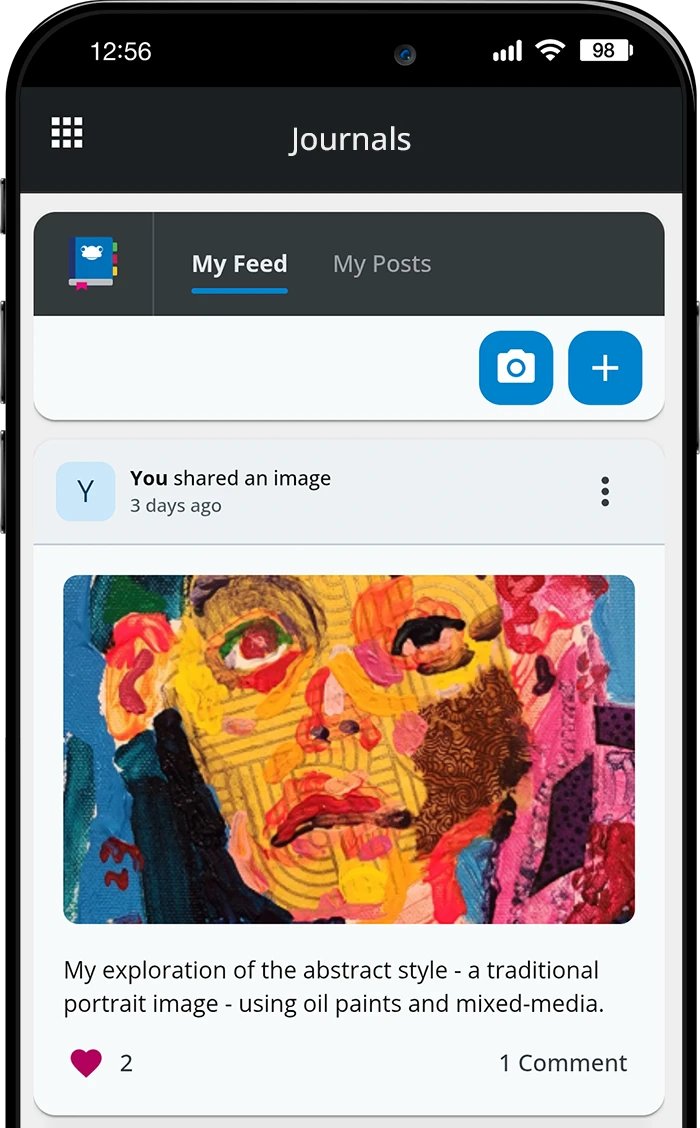
Displays your posts in a gallery format with descriptions, likes, and comments.

Multi-Image
Posts
Ability to attach several images per post with a scroll bar for navigation.

Search
& Filters
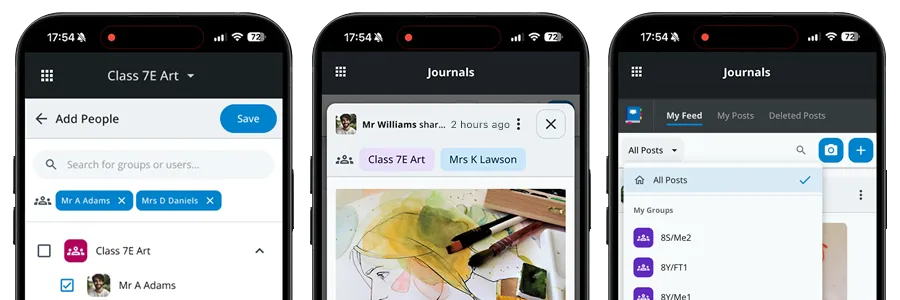
Search by user/group and filter posts by groups or “My Posts.”

Management
Tools
Edit, delete, disable comments, or restore deleted posts*.
* Admin users only

Mobile Device
Support
Responsive design plus camera integration for quick photo uploads.

Post
Interactions
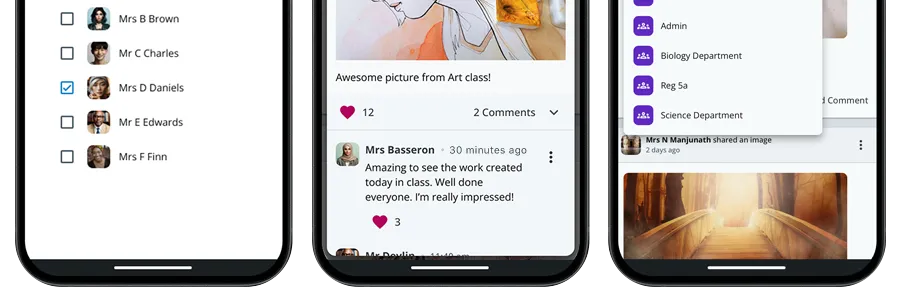
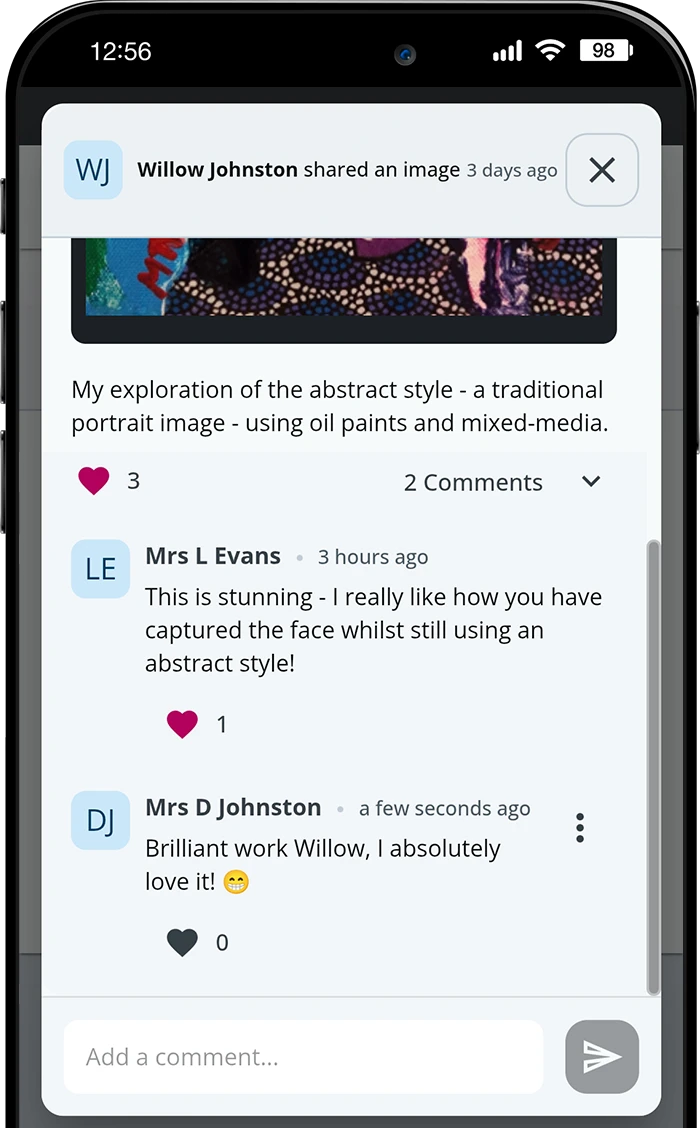
Like and comment features with role-based permissions.
Get a personalised walkthrough of Journals and everything else Frog can do...
Features for Staff, Students and Parents
Journals has the right tools to ensure everyone sees what they need to!
Staff
Staff
All Staff users have the ability to...
- Create posts with existing images, videos, audio or PDFs on platform or from a device's camera/files.
- Target specific groups/individuals for posts.
- Add Curriculum Tags to posts
- View all posts (students and staff).
- Edit any post (own or others’), including images, description, and audience.
- Delete any post or comment.
- Disable or enable comments.
- Search posts by user/group.
- Filter by group or “My Posts.”
- See Post Reactions
Students
Students
All Students have the ability to...
- Create posts with images, videos, audio or PDFs from FrogDrive or their device.
- Share posts with staff, admins, and parents.
- View posts shared with them directly or via their groups.
- Like posts and comments (if commenting is enabled for their role).
- Edit own posts (images and description).
- Delete own posts.
- Search posts by user/group.
- Filter by group or “My Posts.”
Parents
Parents
All Parents have the ability to...
- View posts shared with them directly, shared with their child, or created by their child.
- Like posts.
- Comment on posts (and delete own comments).
- Filter posts by child.
- Search posts by user/group.
The latest release introduces an additional four enhancements to the application...
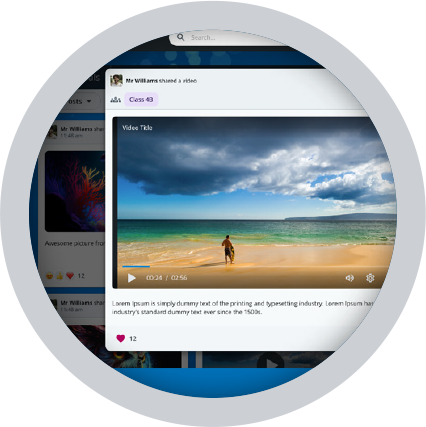
More ways to share
Schools now have the added benefit of uploading videos, PDFs and audio files within Journals posts.
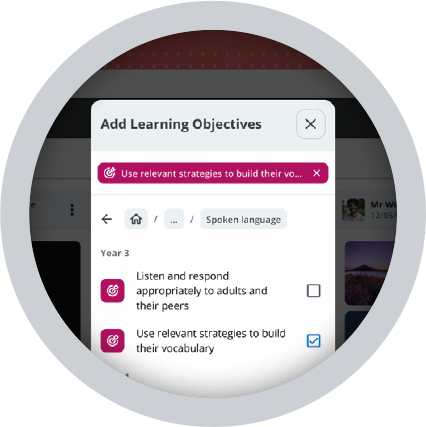
Curriculum Tagging
Link Journals posts to learning objectives to ensure evidence is recorded!
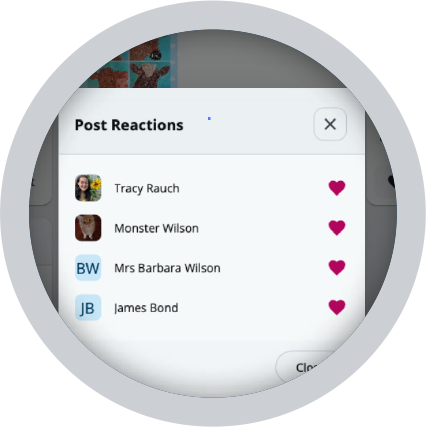
See Post Reactions
Schools can view post engagement by seeing who liked a post, visible only to staff and admins.
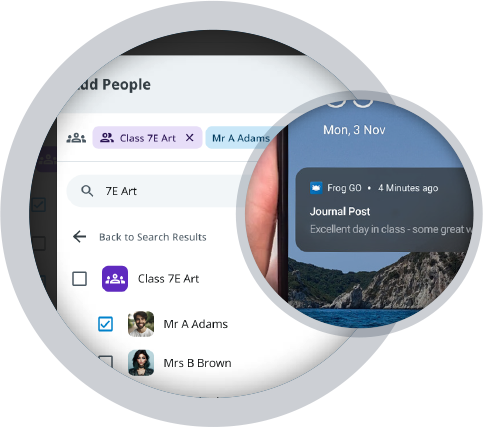
Push Notifications
Staff and admins can choose to send a Frog GO notification to the audience when creating a post.
Admin and Safeguarding Tools
Administrators have complete visibility across Journals. They can...

View deleted posts/comments across the whole platform.

Restore any posts that have been deleted.

Configure Acceptable Use reminders in system.


